
.png)
Allowed domains
The domain allowlist decides which pages may embed the editor.
The editor only starts on pages whose origin is on the plugin's domain list. A page on an unlisted origin gets origin_not_allowed and the editor shows an error instead of loading.
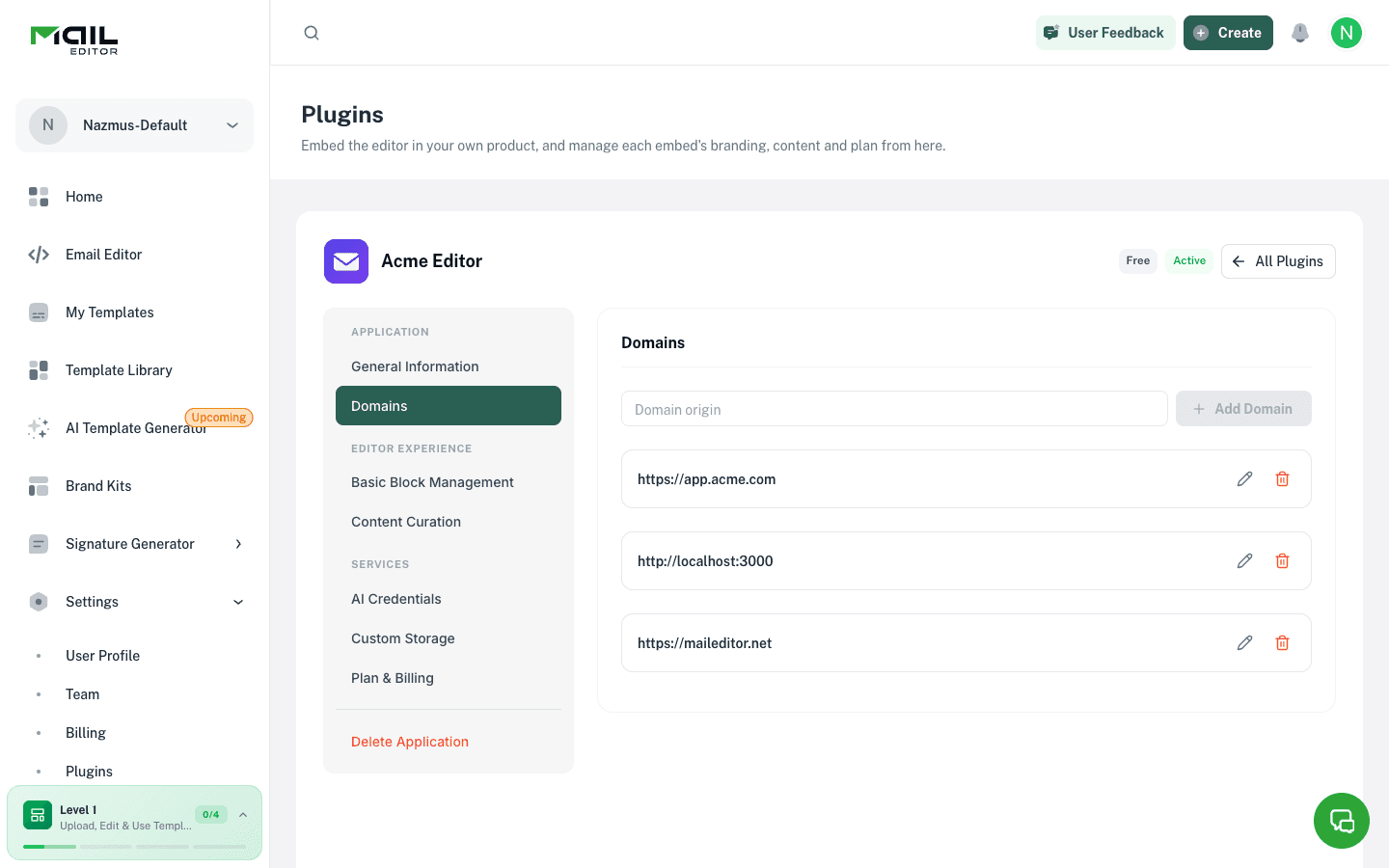
Add a domain
A new plugin starts with https://maileditor.net on the list. Type your own origin in Domain origin and click Add Domain. Enter what the browser shows in the address bar, without a path.
MailEditor normalises what you type:
| You enter | Stored as | Notes |
|---|---|---|
app.customer.com | https://app.customer.com | Scheme defaults to https. |
https://app.customer.com:8443 | https://app.customer.com:8443 | Port is kept and must match exactly. |
*.customer.com | https://*.customer.com | Wildcard covers one label: app.customer.com matches, a.b.customer.com does not. |
localhost:3000 | http://localhost:3000 | localhost and 127.0.0.1 default to http. |
bücher.example | https://xn--bcher-kva.example | Internationalised names are stored in punycode. |
Rules:
- Adding an origin that already exists shows the existing entry.
- Wildcards on a shared host such as
*.vercel.appor*.co.ukare refused. - Paths, query strings and fragments are rejected.
- A plugin can hold up to 25 domains.
Change or remove a domain
Use the edit control on a row to repoint it to another origin. The old origin stops working immediately and its editor sessions end. Repointing onto an origin that another row already covers is refused.
Removing a row also ends the sessions opened from that origin.
Local development
Add localhost:<port> for each port your app runs on. http://localhost:3000 and http://localhost:4000 are separate origins.
Verification and tiers
Sessions report a tier of production or development. Domain verification is not available yet, so every session currently reports development; this does not change what the editor can do.