
.png)
Plan and billing
Each plugin has its own plan. Compare Free and Pro, change plan, and delete a plugin you no longer need.
Every plugin carries its own subscription. Changing the plan on one plugin does not affect your other plugins or your MailEditor account plan.
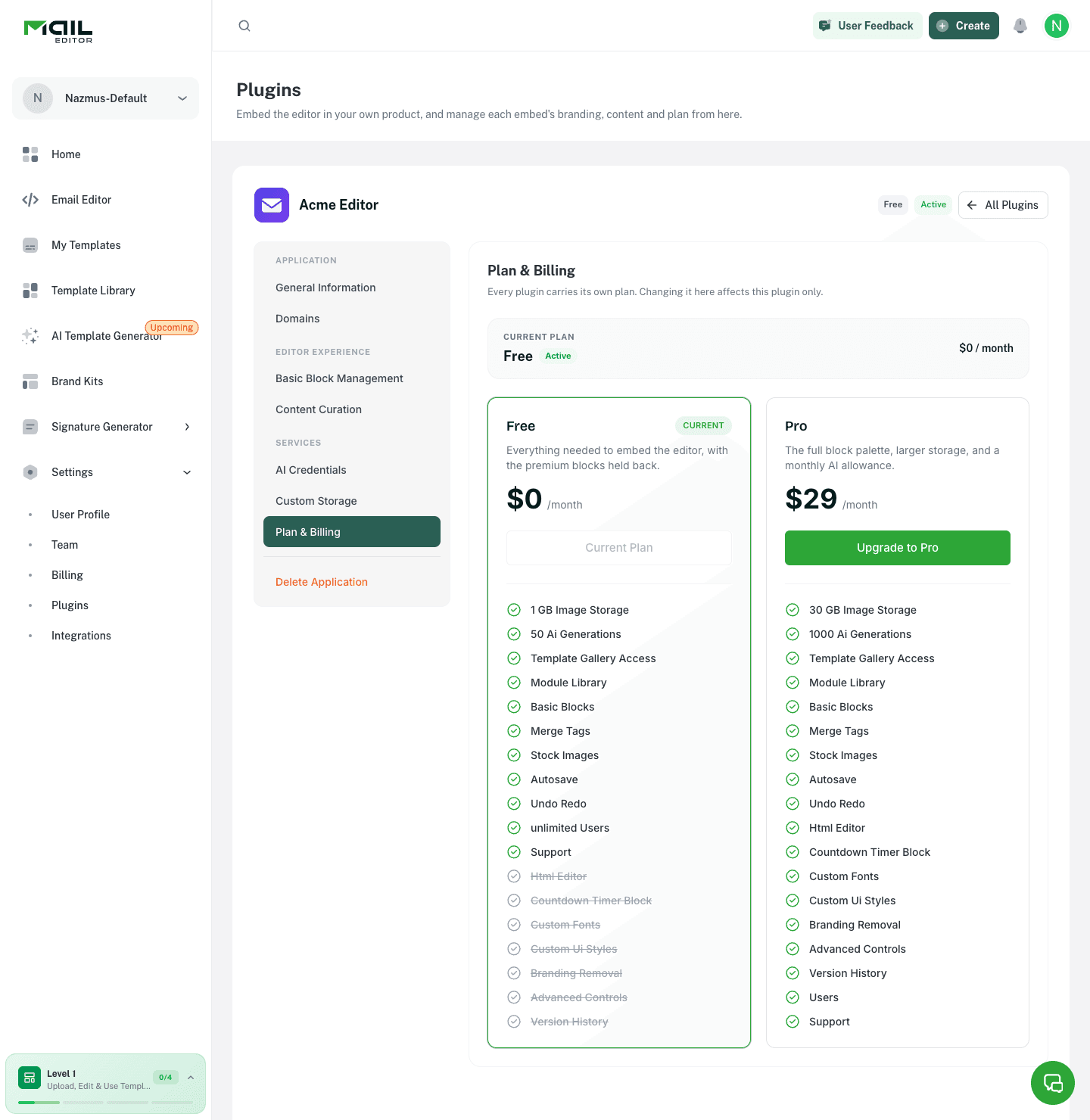
The tab shows the current plan and its price, with the renewal date once the plugin is on a paid plan, then a card for each available plan.
Free and Pro
| Free | Pro | |
|---|---|---|
| Storage on MailEditor | 1 GB | 30 GB |
| AI generations, on your own provider key | unlimited | unlimited |
| Template gallery, module library, basic blocks | included | included |
| Stock images, on your own provider key | included | included |
| HTML block and HTML editor | included | |
| Countdown timer block | included | |
| Custom fonts and custom UI styles | included | |
| Version history | included |
Blocks the plan does not include are greyed out on the Basic Block Management tab. Uploads to a custom bucket do not count against storage.
Changing plan
Click the button on the plan card you want.
| Change | What happens | When features change |
|---|---|---|
| Free to Pro | You are sent to checkout. The plugin stays on Free until payment succeeds | On payment |
| Pro to a dearer plan | The difference for the rest of the period is charged to the card on file | On payment |
| Pro to a cheaper paid plan | The new price applies from the next cycle | At the end of the paid period |
| Pro to Free | Renewal stops. The plugin lands on Free when the paid period ends | At the end of the paid period |
A downgrade is scheduled, not immediate. Until it lands the plugin keeps every Pro feature, and you can cancel the scheduled change from the same tab.
When a change lands, usage is carried over and clamped to the new allowance, and the monthly reset date does not move.
There is no separate cancel button. To stop paying, downgrade to Free.
Delete Application
Type the plugin's name in the field to enable Permanently Delete Plugin.
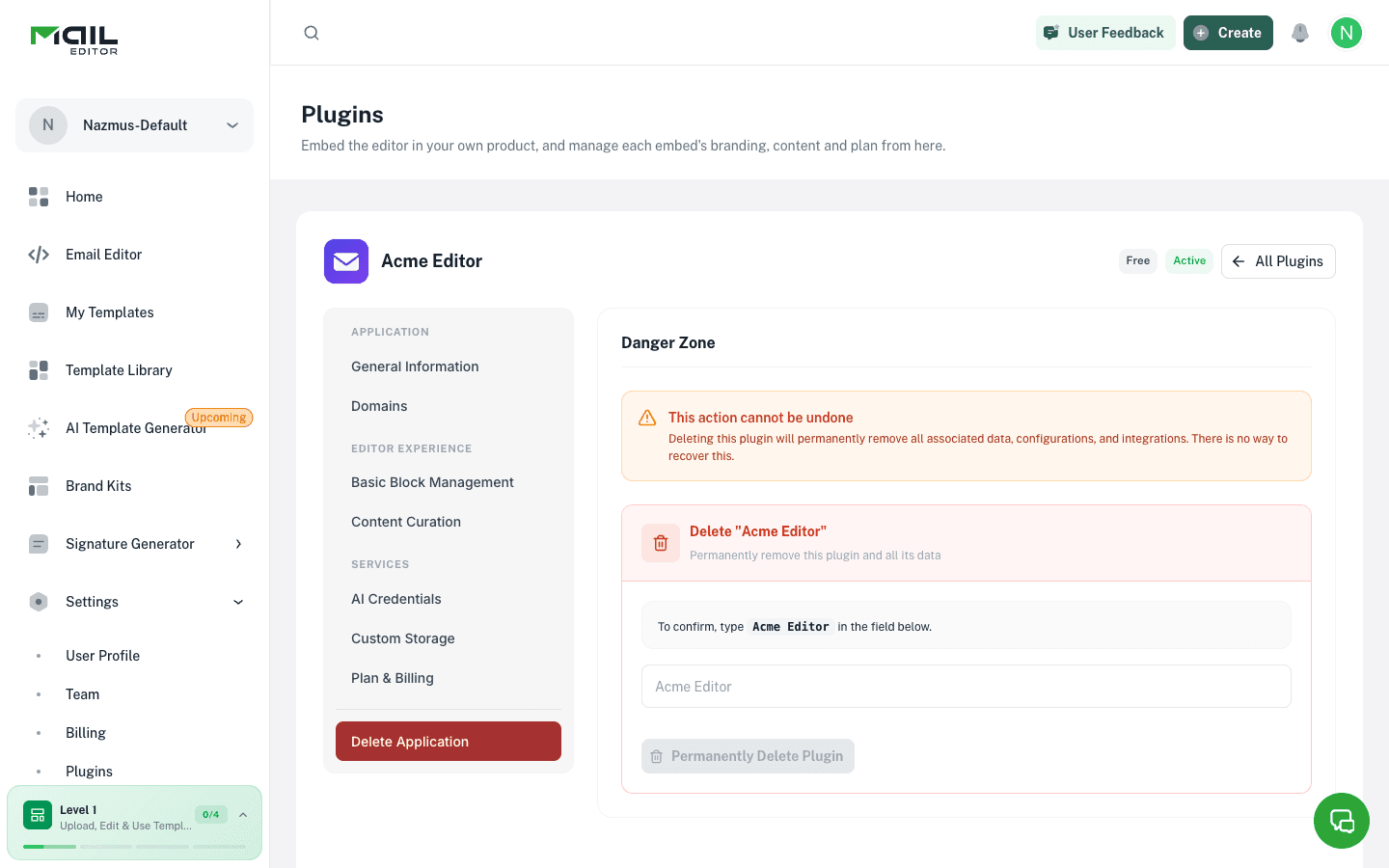
Deleting a plugin removes its subscription, settings, domains, and every end user's templates and images. The Plugin ID and Secret stop working. This cannot be undone.