
.png)
Quickstart
Create a plugin, sign a user identity on your server, and render the editor in an iframe.
This walkthrough goes from an empty dashboard to a working editor on a local page. The code is Node; see Identity signing for PHP, Python and Ruby, or the Platform guides for a complete example in your stack.
Create a plugin
Open Settings → Plugins in the MailEditor dashboard, click Create New Plugin, give it a name and save.
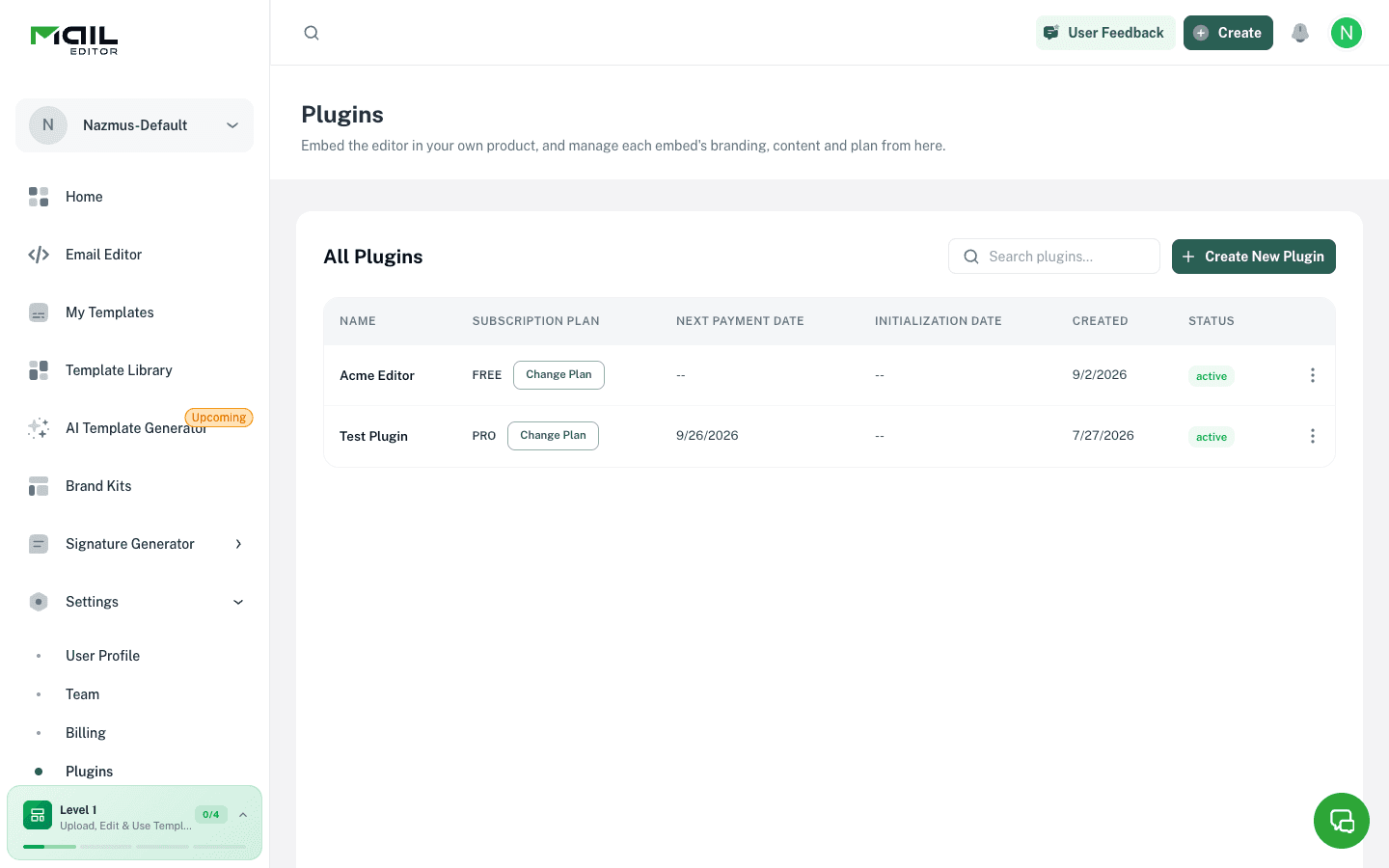
Details: Create a plugin.
Add your domain
Open the plugin, go to the Domains tab and add the origin your page will run on. For local development that is usually localhost:3000.
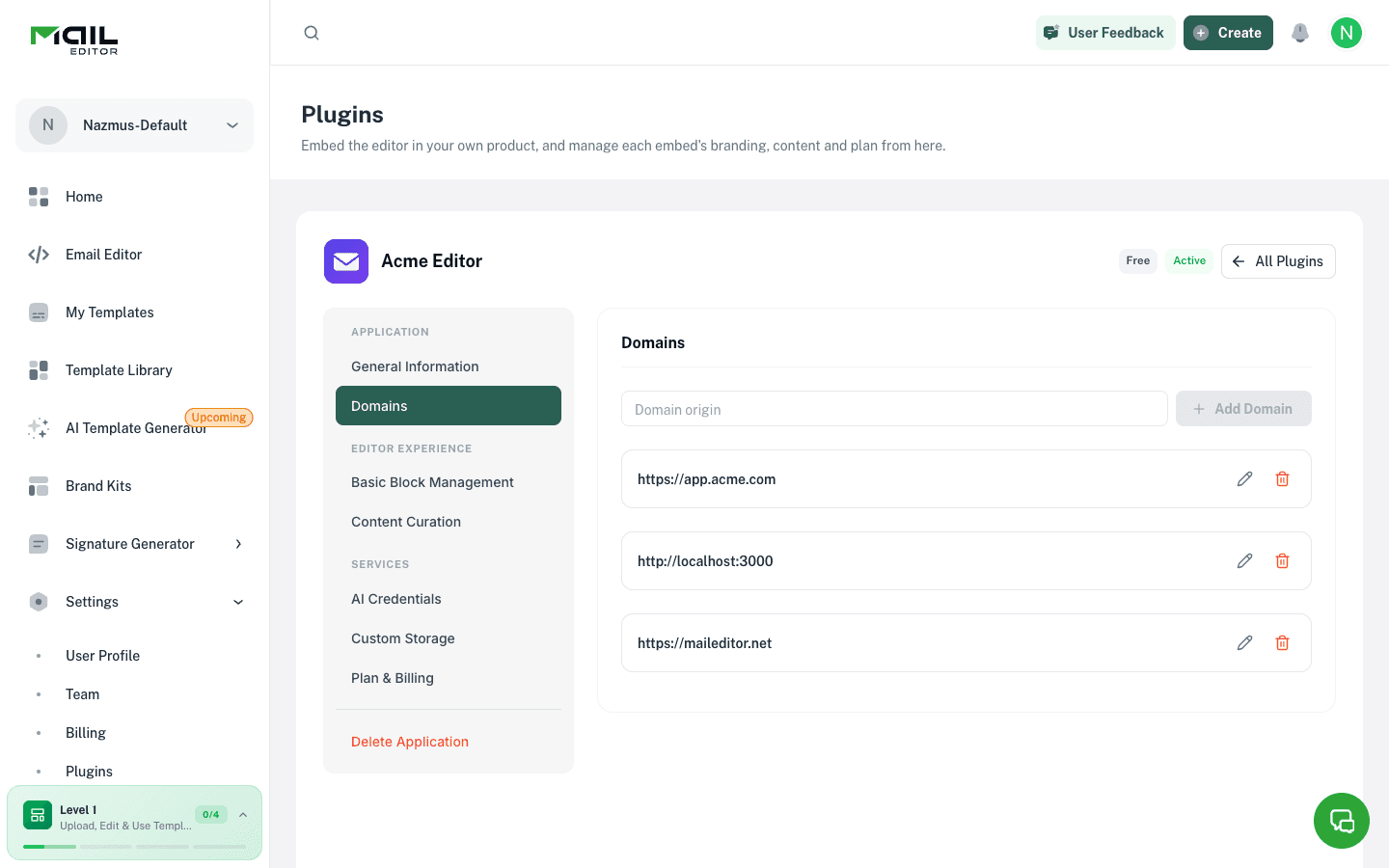
The editor refuses to start on any origin that is not listed. Details: Allowed domains.
Copy the Plugin ID and Secret
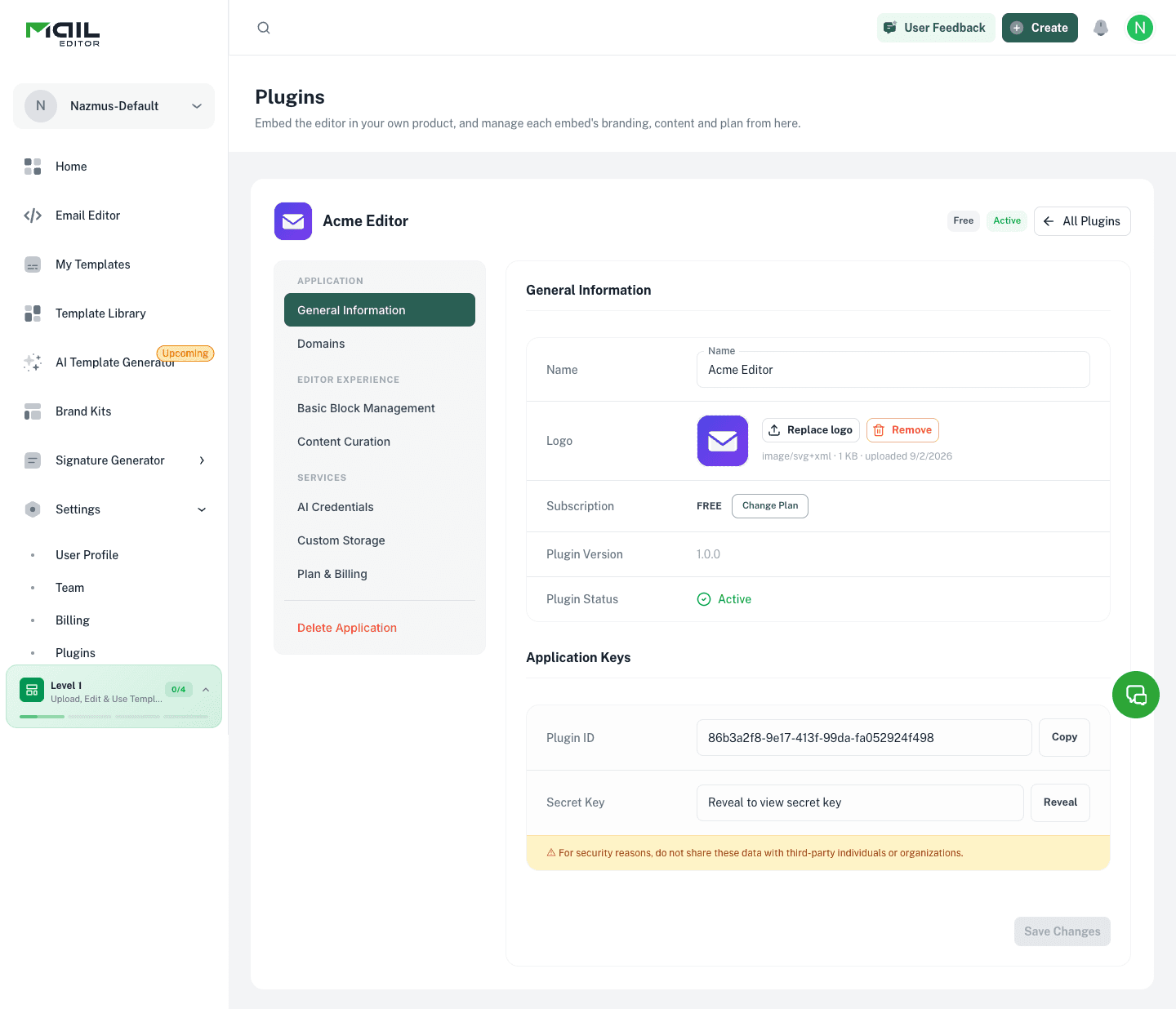
On the General Information tab, copy the Plugin ID, then reveal and copy the Secret Key. Put both in your server's environment. The secret must never reach the browser.
MAILEDITOR_API_BASE_URL=https://api.maileditor.net/api
MAILEDITOR_EDITOR_BASE_URL=https://maileditor.net
MAILEDITOR_PLUGIN_ID=9f3c1e7a-4b21-4c8e-9a77-1d2f5b6c8e10
MAILEDITOR_PLUGIN_SECRET=your_plugin_secret
MAILEDITOR_PLUGIN_VERSION=1.0.0
Sign the user's identity on your server
Add a route your page calls once per user. It builds a short-lived HMAC signature over the user's id and returns the values the page needs.
import { createHmac } from 'node:crypto'

export async function GET(request: Request) {
  const user = new URL(request.url).searchParams.get('user')
  if (!user) return Response.json({ error: 'user is required' }, { status: 400 })

  const expires = Math.floor(Date.now() / 1000) + 300
  const payload = `v1|${Buffer.byteLength(user)}:${user}|${expires}`
  const signature = createHmac('sha256', process.env.MAILEDITOR_PLUGIN_SECRET ?? '')
    .update(payload)
    .digest('hex')

  return Response.json({
    externalUserId: user,
    identityExpires: expires,
    identitySignature: signature,
    pluginId: process.env.MAILEDITOR_PLUGIN_ID,
    pluginVersion: process.env.MAILEDITOR_PLUGIN_VERSION,
    editorBaseUrl: process.env.MAILEDITOR_EDITOR_BASE_URL,
  })
}
The payload is v1|{byte length of user id}:{user id}|{expires}. Count bytes, not characters. The expiry may be at most 15 minutes ahead. Details: Identity signing.
Render the iframe
Fetch the signed values and build the editor URL.
'use client'

import { useEffect, useState } from 'react'

export default function EditorPage() {
  const [src, setSrc] = useState<string>()

  useEffect(() => {
    fetch('/api/auth?user=customer-user-4471')
      .then((res) => res.json())
      .then((auth) => {
        const params = new URLSearchParams({
          external_user_id: auth.externalUserId,
          identity_expires: String(auth.identityExpires),
          identity_signature: auth.identitySignature,
          plugin_version: auth.pluginVersion,
        })
        setSrc(`${auth.editorBaseUrl}/plugin-editor/v1/${auth.pluginId}?${params}`)
      })
  }, [])

  if (!src) return null

  return (
    <iframe
      src={src}
      title="Email editor"
      allow="clipboard-write; fullscreen"
      style={{ width: '100%', height: '100vh', border: 0 }}
    />
  )
}
Add template_id=123 to the query string to open one of the user's existing templates. Details: Embedding the editor.
Open the page and check
Load the page. The editor should show its start screen inside the iframe.
If it shows "Plugin editor unavailable", open the browser's network tab and read the session response. The result.error code tells you what to fix:
| Error | Fix |
|---|---|
origin_not_allowed | Add the page's origin on the Domains tab. Scheme and port must match. |
identity_signature_required | All three identity parameters must be in the URL. |
identity_signature_invalid | Rebuild the payload exactly and check you signed with the current secret. |
identity_signature_expired | Sign a fresh signature when the page loads. |
Full list: Error codes.
Reading templates back
The iframe sends nothing to your page. To list what a user has saved, call the Backend API from your server:
curl "https://api.maileditor.net/api/plugin/v1/backend/templates?external_user_id=customer-user-4471" \
  -H "X-Plugin-Id: $MAILEDITOR_PLUGIN_ID" \
  -H "X-Plugin-Secret: $MAILEDITOR_PLUGIN_SECRET"
Details: Backend API.